
Run your first simulation
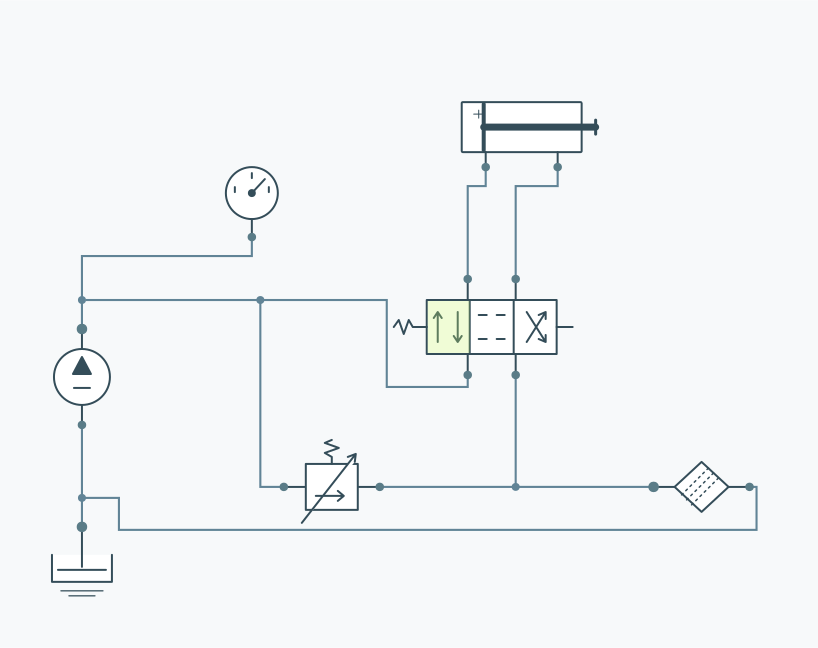
- Open the cylinder lift example and choose Open circuit.
- Press Run simulation. Once the calculation completes, playback starts at time zero.
- Watch CY1 extend and the position trace grow. At normal speed the six-second capture plays over six seconds.
- Pause, move the time slider or choose 0.25× to inspect the motion. Replay starts the same result again.
- Change a component value and run a fresh capture to compare.
Why can a cylinder stop while time keeps moving?
A cylinder holds when it reaches its stroke limit. In the lift example it reaches 400 mm near three seconds; the pump then sends flow through the relief valve for the rest of the capture. A neutral valve may hold the actuator from the start. Inspect pressure and flow to understand a stationary drawing.
What can you draw?
The library includes a tank, pump, relief valve, check valve, throttle, directional valve, cylinder, motor, accumulator, pipe, filter, pressure gauge, flow meter and junction. Wires join at explicit ports. A line crossing does not create a connection.
Know the model
PascalNest uses generic models for preliminary comparisons and learning. It does not model hydraulic shock, fluid compressibility or hose elasticity. Invalid or cavitating conditions can be rejected. Read the warnings and model limits included in your report.